
Compatible Spares & Consumables
View compatible items (1)
Clinical skills training · TMAPP
TruMonitor® App


Product overview
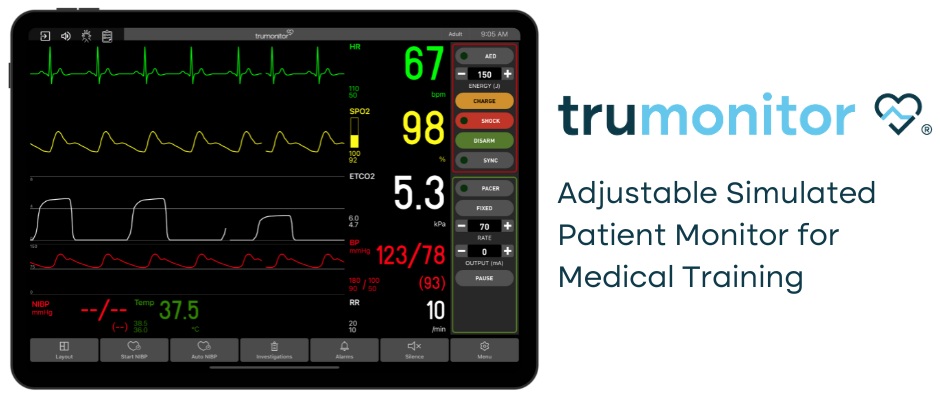
We are pleased to announce Laerdal Medical as the exclusive partner for this innovative and cost-effective solution for simulated patient monitor training. TruMonitor® is a stand-alone patient monitor simulator that aid learners in vital signs interpretation as if in real clinical settings. With TruMonitor®, your learners will experience realistic training scenarios, with an emphasis on diagnosing and improving critical decision-making skills.
Please visit Laerdal Medical’s website to begin your free trial.
Description
Portable | Versatile | True-To-Life
TruMonitor® is an ECG and vital signs monitor simulator app designed to enable medical interpretation training as they would in real clinical settings. Delivered in cooperation with Laerdal Medical, it supports realistic ALS/ACLS-style scenario delivery with an emphasis on diagnosis and critical decision-making, while giving instructors full control of scenario progression and learner actions. Access a 14-day free trial.
ECG Simulator App with 40+ Rhythms
TruMonitor is an advanced cardiac monitor simulator with 40+ ECGs, supporting training in: capnography, 12 lead ECG interpretation, transcutaneous pacing, and synchronised cardioversion.
Defibrillation & CPR Training Integration
TruMonitor supports true-to-life simulation for defibrillation and resuscitation, enabling instructors to introduce ECG artefact, pacing, and normal/abnormal ECG waves as scenarios progress.
Instructor-Led Scenario Control
Instructors can create and control scenarios, introducing new actions as the scenario evolves so learners learn to respond to changing patient physiology and prioritise interventions appropriately.
Compatible with Laerdal Manikins
TruMonitor is fully compatible with Laerdal Little Anne and Resusci Anne, providing real-time CPR feedback on compression depth, rate, recoil and ventilation quality – supporting data-driven debrief and measurable performance improvement.
Scalable Delivery for Individuals, Multi-User, and Large Groups
With only two tablets (iOS or Android), instructors and learners can run high-impact training anywhere – on-site, in-situ, classroom, or remote. Multi-user and large-group session options are available.



Training Applications:
- ALS / ACLS scenario rehearsal and assessment
- Pacing, cardioversion, and defibrillation decision-making
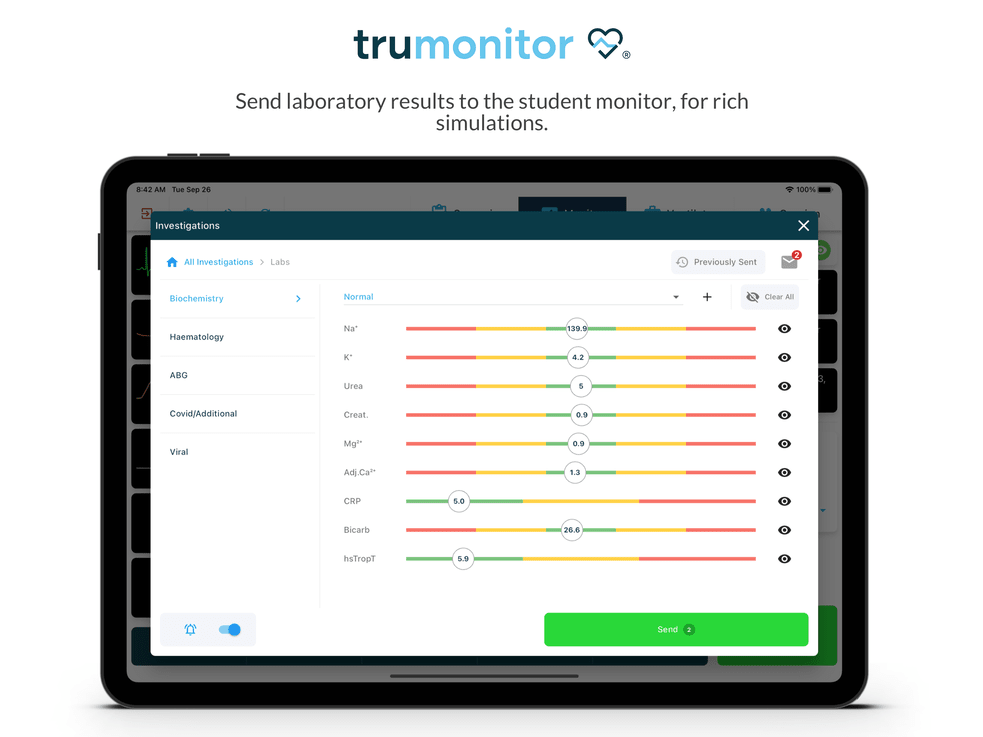
- Rapid interpretation of ECGs (including 12-lead) and response to changing vital signs
- OSCE preparation, undergraduate exams, and recruitment/interview scenario assessment
TRUCORP SIMULATORS:
Compatible Training Solutions
TruVent is a virtual ventilator training app to teach ventilation management safely without the need for a ventilator or a simulator.
TruGuide brings AI-powered support to airway training, helping instructors manage larger groups while maintaining high teaching standards. Real-time cues and measurable feedback allow learners to practise independently between instructor-led sessions, improving confidence and skill development.


TRUCORP SIMULATORS:
Compatible Training Solutions
TruVent is a ventilator training app to teach ventilation management safely without the need for a ventilator or a simulator.
TruGuide brings AI-powered support to airway training, helping instructors manage larger groups while maintaining high teaching standards. Real-time cues and measurable feedback allow learners to practise independently between instructor-led sessions, improving confidence and skill development.
- TruVent
 TruGuide
TruCorp medical training manikins are designed and built for students and healthcare professionals including anaesthetists, emergency medicine doctors, paramedics and more.
TruCorp also has produced a range of simulation solutions to facilitate training in different medical fields:
Videos
TruMonitor Quick Start 1- Starting a SessionTruMonitor Quick Start 2 – Basic ControlsTruMonitor Quick Start 3 – Defib & CPRTruMonitor Quick Start 4 – InvestigationsTruMonitor Quick Start 5 – Standalone ModeTruMonitor Quick Start 6 – Multiple StudentsTruMonitor Quick Start 7 – Scenario Builder OverviewTruMonitor Quick Start 8 – Create a ScenarioTruMonitor Quick Start 9 – Custom Parameters
Options and configurations
| Color | Dark Coffe, Light Cream |
|---|
Product photographs


Product resources
Plan your training
Contact Survival Technology to discuss this product and your training requirements.